
In the competitive world of Amazon selling, only about 1% of merchants—roughly 100,000 sellers—break the million-dollar revenue barrier. What separates these top performers from the rest? Data-driven decision making. The right product research can make or break your Amazon business, and that’s where specialized tools like Data Dive come into play. This powerful Amazon FBA tool helps sellers discover trending keywords, calculate potential profits, and make informed business decisions based on reliable market data.
In this comprehensive review, we’ll explore everything you need to know about the Data Dive Amazon FBA tool—from its core features and integration capabilities to pricing plans and alternatives. Whether you’re just starting your Amazon journey or looking to scale an established business, you’ll discover if Data Dive is the right solution for your specific needs.
What is Data Dive? Understanding the Amazon FBA Research Powerhouse
Data Dive is a specialized research tool developed by Seller Systems that helps Amazon FBA sellers make data-driven decisions. It functions as a comprehensive research platform that pulls information from multiple sources including Helium 10, Amazon, Google, and other market intelligence databases to provide actionable insights for your business.
Unlike basic Amazon seller tools that offer limited data points, Data Dive creates a complete research ecosystem that automates complex analysis processes. The tool integrates with your Google Drive account, allowing you to store and access your research data securely from any device. This cloud-based approach ensures your valuable market insights are always available when you need them.
At its core, Data Dive is designed to help Amazon sellers identify profitable product opportunities, optimize listings with high-performing keywords, and calculate accurate profit margins before investing in inventory. The platform works by analyzing competitor data, market trends, and customer search behavior to give you a competitive edge in the marketplace.
Ready to Make Data-Driven Amazon Decisions?
Stop guessing and start knowing exactly what products will be profitable on Amazon. Join thousands of successful sellers who use Data Dive to find winning products.
Try Data Dive Free for 14 DaysGET 10% OFF WITH CODE: SAVE-FBA-TOOLS
Key Features of the Data Dive Amazon FBA Tool
Data Dive offers a comprehensive suite of features designed to streamline your Amazon research process and help you make informed business decisions. Let’s explore the core functionalities that make this tool valuable for Amazon sellers:

Research Sheet
The Research Sheet is Data Dive’s flagship feature that allows you to perform in-depth analysis of Amazon products. It retrieves comprehensive sales and keyword data while identifying consistent market trends. The tool optimizes your Master Keyword List (MKL) by excluding non-relevant terms and eliminating duplicates, helping you build more effective product listings.

Data Dive Profits
This feature provides accurate FBA calculations that account for all potential business costs and expenses. It helps you estimate profits after removing travel costs, shipping fees, and other expenses. The Profits tool follows Amazon’s requirements on carton sizes and recommends optimal shipping methods based on analyzed data, helping you maximize your profit margins.

Ideas Sheet
The Ideas Sheet provides your business with the latest trending keywords to discover potentially best-selling Amazon products. It leverages intent data to find new and relevant keywords that might be inexpensive and less competitive, resulting in advanced search engine marketing efficiency. This feature helps you streamline your keyword research and make informed product selection decisions.

Chrome Extension
The Chrome Extension allows you to select Amazon Standard Identification Numbers (ASINs) manually and include the data in your research sheet. It automates tedious tasks by exporting data directly from tools like Helium 10 and Keepa, then imports them to Google Sheets for correlation. This extension significantly speeds up your workflow and helps you make faster research decisions.
Pipeline Sheet
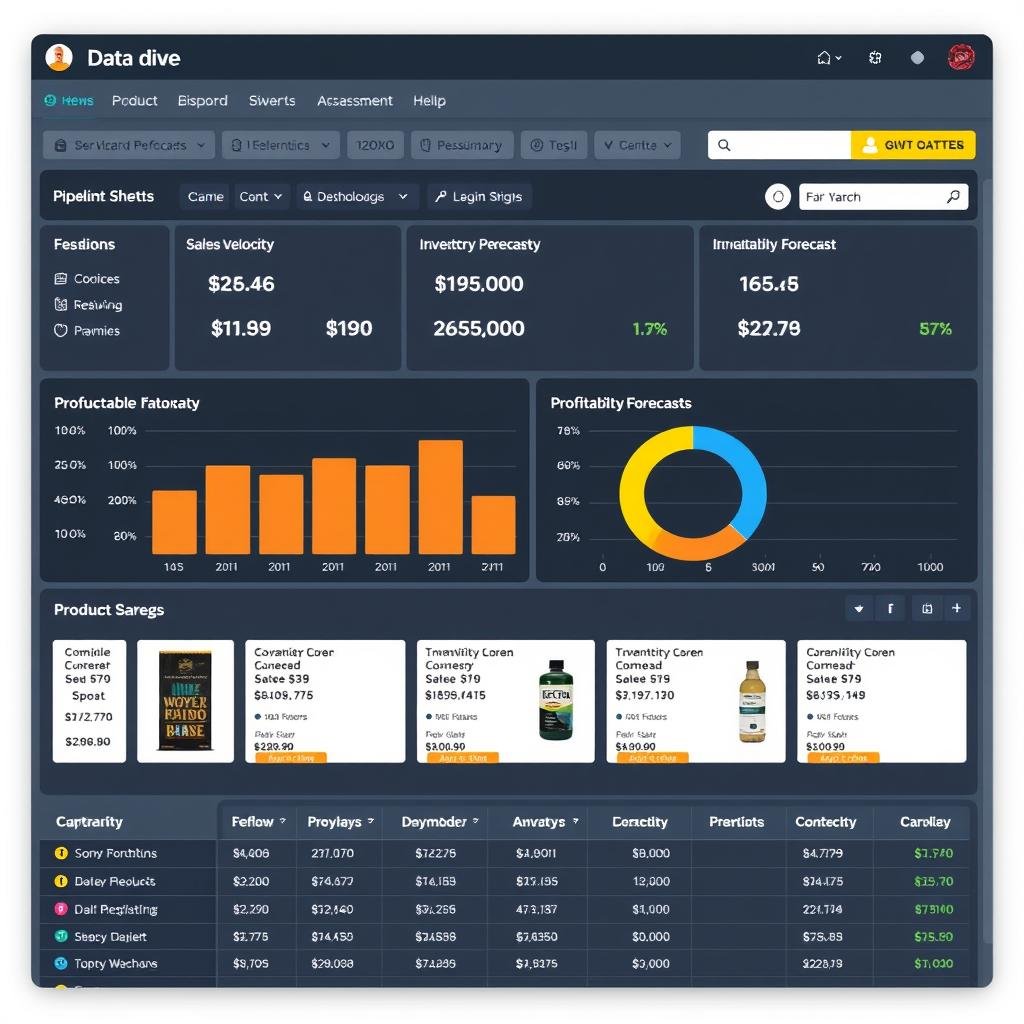
Data Dive automatically nests your research sheets into one Pipeline Sheet, accessible through the Chrome extension or Google Sheet library. This feature helps you review all the changes you make and how they affect your profitability pipeline. It calculates your order quantity ROI per annum and displays results at the end columns, giving you a comprehensive view of your business performance.
Helium 10 Integration
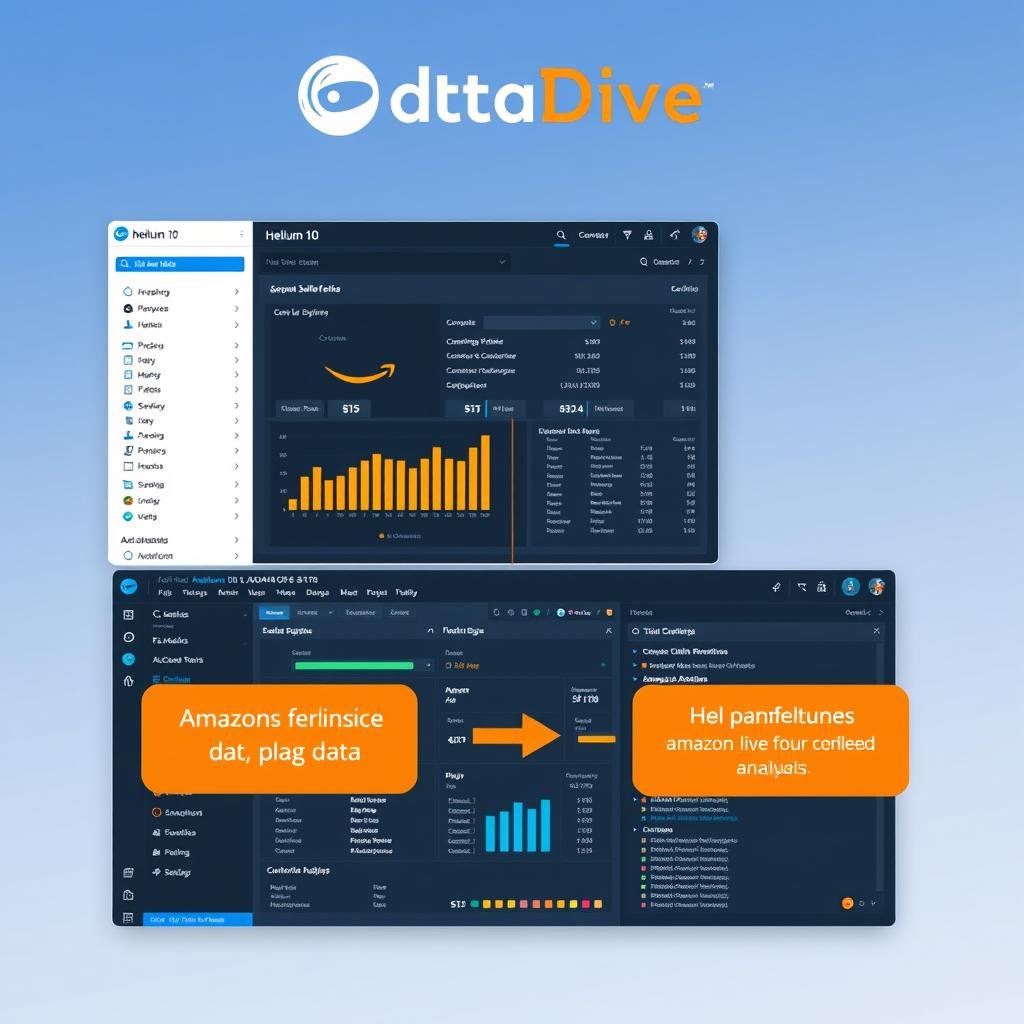
Data Dive seamlessly integrates with Helium 10’s Cerebro tool to pull comprehensive keyword data. This integration allows you to discover the most relevant keywords your competitors use to drive Amazon sales. By combining the strengths of both platforms, you can develop more effective product research strategies and optimize your listings for maximum visibility.
Unlock the Full Potential of Your Amazon Business
Access all these powerful features and start making data-driven decisions that boost your Amazon sales and profitability.
Key Benefits of Using Data Dive for Your Amazon Business

Data Dive Advantages
- Make Data-Driven Decisions: Eliminate guesswork by basing your product selection and marketing strategies on actual market data and trends.
- Multi-Source Data Gathering: Pull information from Helium 10, Amazon, Google, and other sources to create a comprehensive view of the market.
- Time Efficiency: Automate research processes that would take hours to complete manually, freeing up your time for other business activities.
- Secure Cloud Storage: All your research data is stored safely in your Google Account, accessible from any device with an internet connection.
- Team Collaboration: Share your research sheets with team members to collaborate in real-time and optimize your operations.
Potential Drawbacks
- Learning Curve: New users may need time to understand all the features and how to interpret the data effectively.
- Helium 10 Dependency: Requires a paid Helium 10 plan to access full functionality, adding to the overall cost.
- Pricing Structure: Higher pricing tiers compared to some basic Amazon research tools may be prohibitive for new sellers.
Make Data-Driven Decisions
Data Dive allows you to gather information from different sources with minimal challenges and utilize it before your competitors. In a crowded marketplace, offering something different is essential. The software helps you analyze the market beforehand, avoid bad decisions, and increase your chances of success.
With Data Dive, you’ll gain a better understanding of which products to sell after comprehensively analyzing the market and opportunities. You can examine your competition, view their pricing strategies, and select the optimal price points for your items. The tool also helps you understand customer expectations and improve your services to meet their needs.
Gather Data from Multiple Sources
The software automatically retrieves research data from multiple sources and analyzes the information efficiently. You can discover winning product ideas that fulfill your specific business needs, niche preferences, and overall strategy.
Data Dive integrates with other tools to provide comprehensive insights into Amazon products’ viability, from high-ranked keywords to competitor pricing. It filters data effectively, saving you from navigating through unnecessary information that could slow down your decision-making process.
Store Data Conveniently
All your gathered research data is stored securely in your Google Account, making it accessible from any device wherever you are. The sheets feature easy-to-use interfaces that support usability and accessibility. With just a reliable internet connection, you can export or download data to your device whenever needed.
Data Dive offers cost-effective and convenient ways to share your files and supports multiple users. You can collaborate in real-time with different team members to optimize your operations and ensure everyone is working with the same information.
User Experience and Interface
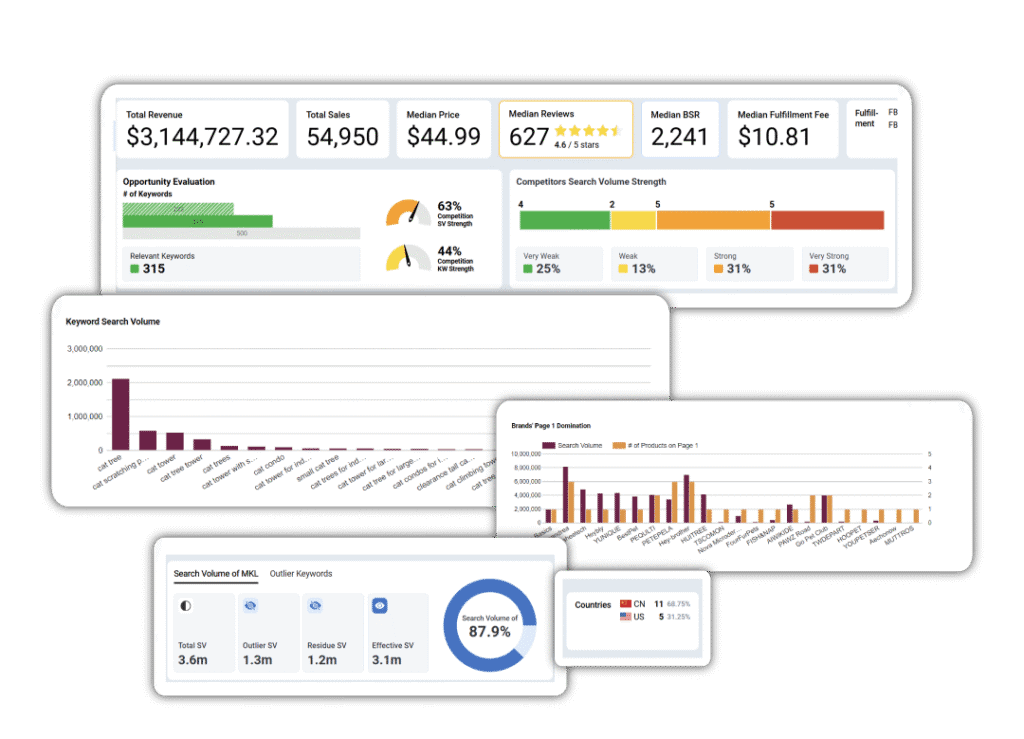
The Data Dive interface is designed with functionality in mind, focusing on presenting complex data in an accessible format. The tool utilizes Google Sheets as its primary interface, which provides familiarity for most users while offering powerful data manipulation capabilities.
Learning Curve and Onboarding
New users will find that Data Dive has a moderate learning curve. While the basic functions are straightforward, mastering the advanced features requires some time investment. The tool provides help icons throughout the sheets that guide you through various processes if you get stuck.
For beginners, it’s recommended to start with the Research Sheet and gradually explore other features as you become more comfortable with the platform. Most users report becoming proficient with the basic functions within 1-2 weeks of regular use.
Customer Support Quality
Data Dive offers comprehensive customer support to handle research and data issues. Their support team is available to help you manage, grow, and scale your Amazon business operations effectively. Users can browse through FAQs to find answers to common questions or submit specific requests if they can’t find what they need.
The support team is accessible via email at support@datadive.tools and typically responds within 24-48 hours. Inner Circle members receive priority support with faster response times, which is a significant advantage for power users who need immediate assistance.
How to Get Started with Data Dive

Getting started with Data Dive is relatively straightforward, especially if you’re already familiar with other Amazon seller tools. Here’s a step-by-step guide to help you begin your data-driven journey:
1. Download and Install Chrome Extension
Before installing the software, Seller Systems Inner Circle members need to email customer support and provide their G Suite or Gmail accounts. Download the Chrome extension from the web store and install it on your browser. Pin the tool to your toolbar for easy access and launch it to use Data Dive on your Amazon page.
2. Manage Subscription
Click on the Data Dive extension to manage your subscription and enter your payment details. If you have any coupons, you can apply them before proceeding to the next stage. Verified Inner Circle members receive better rates and discounts, including three months free with a subscription.
3. Login to Helium 10
Use the same web browser to sign in to your Helium 10 account. Once logged in, open your Amazon page and run Helium 10’s Xray. Locate the Data Dive extension on Xray and press ‘Dive.’ Complete the Google authentication process that appears to proceed to the next stage. Select the products you want to analyze and gather the data.
4. Import Google Drive Data
Grant the software permission to access your Google Drive to store research data and select a template file. Use Cerebro to discover the best-selling keywords, sort the data, and store the results on Google Sheets. The sheet includes several help icons that guide you through the process if you encounter any difficulties.
Pro Tip: Before getting started, check if your device meets the minimum software requirements. You’ll need a paid Helium 10 plan, as the starter pack doesn’t work with Data Dive due to its limited version of the Cerebro tool.
Data Dive Pricing and Subscription Plans

Data Dive offers several pricing tiers to accommodate different business sizes and needs. The pricing structure is designed to provide value for both new sellers and established Amazon businesses:
| Plan | Monthly Price | Additional User | Annual Price | Key Features | Best For |
| Starter | $39/month | $35/user | $32/month | All features, priority support, exclusive discounts | Seller Systems members |
| Standard | $149/month | $73/user | $124/month | All features, standard support | Individual sellers and small teams |
| Enterprise | $490/month | Custom pricing | $408/month | All features, priority support, custom integrations | Large organizations and agencies |
All plans require Helium 10 Cerebro access, which is an additional cost to consider when budgeting for your Amazon research tools. Inner Circle members receive significant discounts, making it the most cost-effective option if you’re already part of the Seller Systems community.
Data Dive Alternatives
While Data Dive offers comprehensive research capabilities, it’s worth considering alternatives to ensure you’re choosing the right tool for your specific needs:
- Deep integration with Helium 10
- Powerful Google Sheets-based analysis
- Comprehensive profit calculations
- Advanced keyword research capabilities
- Starting at $49/month for Inner Circle
Data Dive
- All-in-one Amazon seller platform
- Built-in keyword research tools
- Inventory management features
- PPC campaign management
- Starting at $39/month
Helium 10
- Product database with filtering
- Sales analytics and tracking
- Supplier database
- Opportunity finder feature
- Starting at $49/month
Jungle Scout
Ready to Transform Your Amazon Business?
Join the elite group of Amazon sellers who make data-driven decisions with Data Dive. Get started today with our special offer for new users.
Real-World Applications: How Sellers Use Data Dive

To better understand how Data Dive can benefit your Amazon business, let’s explore some common use cases and scenarios where the tool proves particularly valuable:
Product Research and Validation
Many successful Amazon sellers use Data Dive to identify profitable product opportunities before investing in inventory. By analyzing market trends, competition levels, and potential profit margins, they can make informed decisions about which products to pursue. The Research Sheet and Ideas Sheet features are particularly useful for this purpose, helping sellers discover products with high demand and manageable competition.
“Data Dive completely transformed our product selection process. We used to rely on gut feeling, but now we have concrete data to back our decisions. Our success rate with new product launches has increased by over 40% since implementing Data Dive.”
Keyword Optimization
Optimizing product listings with the right keywords is crucial for Amazon SEO. Data Dive helps sellers identify the most relevant and high-performing keywords for their products by analyzing competitor listings and search trends. This information allows them to create more effective product titles, bullet points, and descriptions that improve visibility and conversion rates.
Profit Calculation and Pricing Strategy
Setting the right price for your products requires a thorough understanding of all costs involved. Data Dive’s Profits feature helps sellers calculate accurate profit margins by accounting for Amazon fees, shipping costs, storage fees, and other expenses. This comprehensive view enables more strategic pricing decisions that maximize profitability while remaining competitive in the marketplace.
Competitor Analysis
Understanding your competition is essential for success on Amazon. Data Dive allows sellers to analyze competitor products, pricing strategies, and keyword usage to identify opportunities and threats in the market. This intelligence helps sellers position their products more effectively and develop strategies to outperform competitors.
Final Verdict: Is Data Dive Right for Your Amazon Business?

After thoroughly examining the Data Dive Amazon FBA tool, it’s clear that this is a powerful solution for sellers who want to make data-driven decisions. The tool’s ability to gather information from multiple sources, automate research processes, and provide actionable insights makes it a valuable asset for Amazon businesses at various stages of growth.
Ideal User Profiles
Perfect For:
- Intermediate to Advanced Sellers who understand the importance of data in product selection and marketing
- Sellers Already Using Helium 10 who want to enhance their research capabilities
- Teams Collaborating on Amazon product research and strategy
- Data-Driven Entrepreneurs who base decisions on market trends and analytics
Less Suitable For:
- Complete Beginners who are just starting their Amazon journey and may be overwhelmed by the data
- Sellers on a Tight Budget who cannot afford both Data Dive and Helium 10 subscriptions
- Casual or Part-Time Sellers who don’t need extensive research capabilities
Value Proposition
Data Dive’s value lies in its ability to transform complex market data into actionable insights that drive business growth. By automating research processes and providing comprehensive analysis tools, it saves sellers countless hours of manual work while improving the quality of their business decisions.
The tool’s integration with Helium 10 and Google Sheets creates a powerful ecosystem that covers all aspects of Amazon product research. While the price point may be higher than some basic research tools, the potential return on investment through better product selection and optimization makes it worthwhile for serious Amazon sellers.
Bottom Line: Data Dive is an excellent investment for established Amazon sellers who understand the value of data-driven decision making. The tool’s comprehensive features, reliable data sources, and user-friendly interface make it a standout option in the crowded market of Amazon seller tools. While it requires a learning curve and additional investment in Helium 10, the potential benefits for your Amazon business make it well worth considering.
Join the Elite 1% of Amazon Sellers
Ready to make data-driven decisions that can transform your Amazon business? Get started with Data Dive today and join the ranks of successful sellers who leverage market data to their advantage.
Frequently Asked Questions About Data Dive
Do I need Helium 10 to use Data Dive?
Yes, Data Dive requires a paid Helium 10 plan to access full functionality. The starter pack of Helium 10 is not sufficient as it uses a limited version of the Cerebro tool. Data Dive integrates with Helium 10 to pull data from multiple sources, so this integration is essential for the tool to work properly.
How does Data Dive compare to other Amazon research tools?
Data Dive differentiates itself by focusing on deep data analysis and integration with Google Sheets, which allows for more customizable research workflows. While tools like Jungle Scout and Helium 10 offer broader feature sets including inventory management and PPC optimization, Data Dive excels specifically at product research, keyword analysis, and profit calculations. It’s often used alongside these other tools rather than as a complete replacement.
Can I use Data Dive for international Amazon marketplaces?
Yes, Data Dive supports international Amazon stores, allowing you to expand your business globally. You can research products and keywords for different marketplaces, helping you identify opportunities in various regions and adapt your strategy accordingly.
How secure is my data with Data Dive?
Data Dive stores all your research data in your Google Account, which benefits from Google’s robust security measures. Your data is accessible only to you and anyone you specifically grant access to. This cloud-based approach ensures your information is backed up and available from any device with internet access.
What kind of support does Data Dive offer?
Data Dive provides customer support through various channels, including email support at support@datadive.tools. They offer an FAQ section to address common questions and allow users to submit specific requests. Inner Circle members receive priority support with faster response times. The support team is available to help with research issues, data problems, and general questions about using the tool effectively.
Conclusion: Elevate Your Amazon Business with Data Dive
In the competitive world of Amazon selling, having access to reliable data and insights can make the difference between success and failure. Data Dive provides Amazon FBA sellers with the tools they need to make informed business decisions, discover profitable products, and optimize their listings for maximum visibility and sales.
While the tool does require an investment in both time (to learn the system) and money (for the subscription and Helium 10 access), the potential return on investment makes it worthwhile for serious Amazon sellers who want to grow and scale their businesses. By eliminating guesswork and basing your strategies on solid market data, you’ll be better positioned to join that elite 1% of Amazon sellers who break the million-dollar revenue barrier.
Whether you’re looking to launch new products, optimize existing listings, or gain deeper insights into your market, Data Dive offers a comprehensive solution that can help you achieve your Amazon business goals. Consider your specific needs, budget, and level of experience to determine if Data Dive is the right tool to take your Amazon FBA business to the next level.
Take Your Amazon Business to New Heights
Stop guessing and start knowing. Join thousands of successful Amazon sellers who use Data Dive to make data-driven decisions that drive growth and profitability.